Rudy for Slack

Find the warm path to any buyer, without leaving Slack.

Boomerang maps the relationships your company already has, across employees and executives, investors and board members, customer champions and partners, into a scored relationship graph, so your team can reach a buyer through a warm introduction instead of a cold email.

Rudy is Boomerang's assistant inside Slack. Ask it a question in plain language and it answers from your Boomerang workspace and your connected CRM.

Rudy is built by Boomerang AI (BuyerAssist Inc.). Privacy Notice  ·  support@getboomerang.ai

How it works in Slack

Rudy only acts when spoken to. It replies when you @mention it in a channel it has been invited to, when you send it a direct message, and when you reply in a thread it has already posted in. It never posts unprompted, and it only sees the conversations it has been added to.

Rudy replies in the thread you asked in, with links back to the underlying Boomerang records so you can check the source, and reacts to your message while it is working.
What Rudy can and cannot see

  • It reads only the channels and direct messages it has been added to.
  • It responds only to an @mention, a direct message, or a reply in a thread it is already part of.
  • It never posts on its own initiative.
  • Every answer links back to the Boomerang record it came from, so anyone can check the source.
  • When a question is ambiguous, it asks before it answers, rather than guessing.

Things people ask it

  • Who do we know at Acme?
  • Find a warm path to the VP of Engineering at Acme
  • Which of our champions changed jobs this quarter?
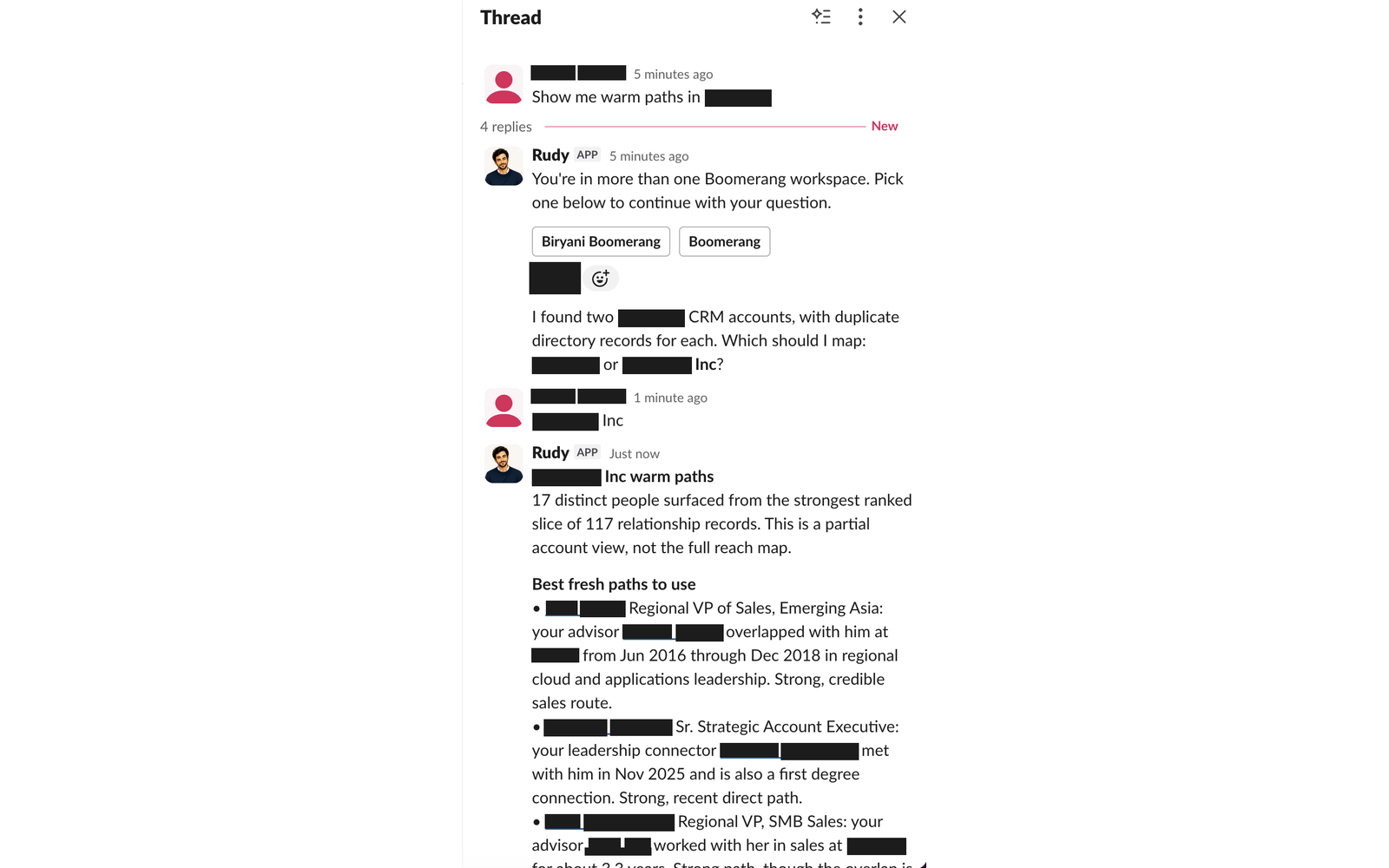
Rudy replying in a Slack thread to the question Show me warm paths, asking which workspace and which CRM record to use, then listing ranked warm paths with the evidence behind each one
Warm paths, with the evidence. Rudy checks which workspace and which CRM record you mean, then ranks the people who can actually reach the account and says why each route is credible.
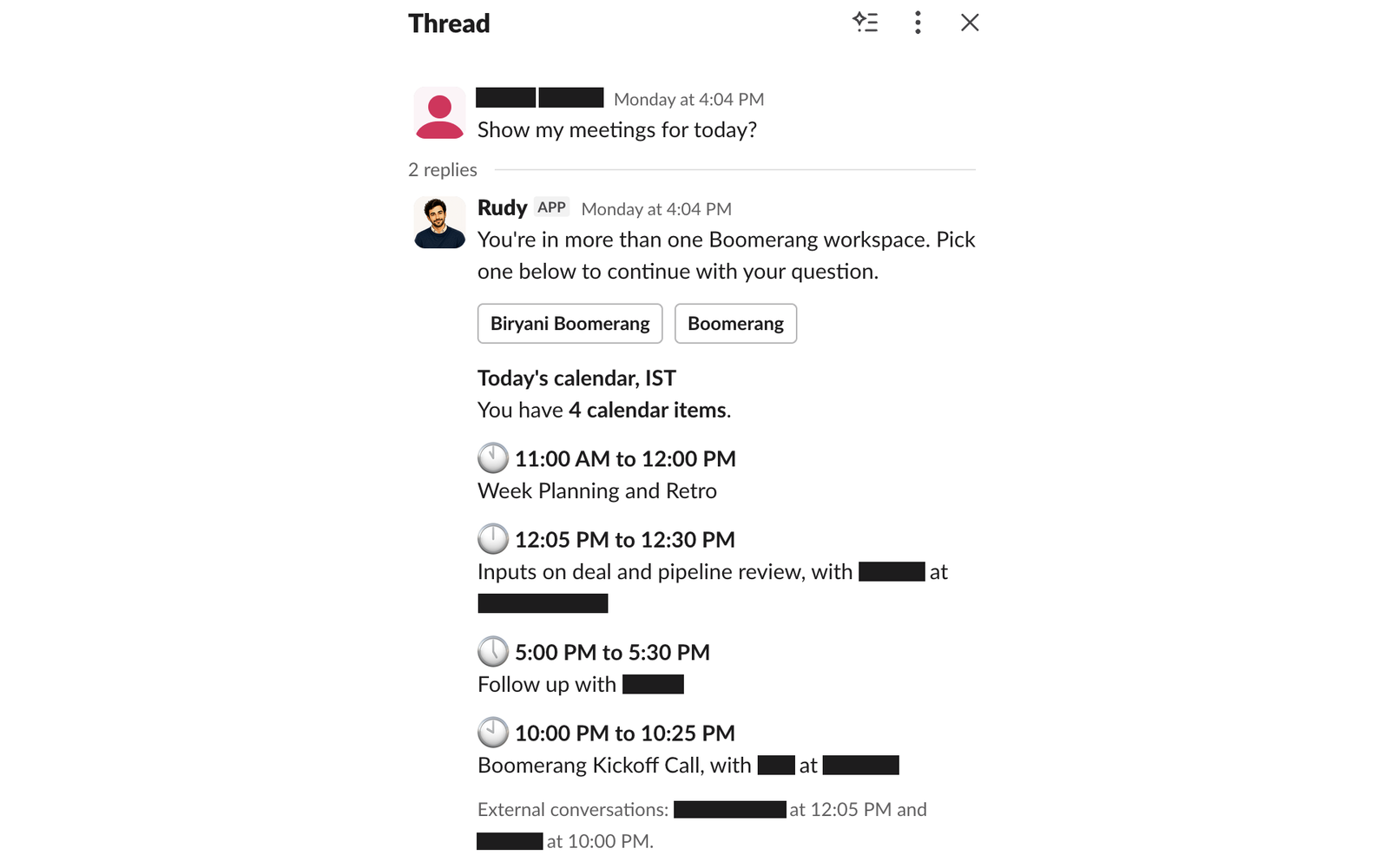
Rudy replying in a Slack thread with today's calendar, four meetings listed with times and attendees, and a note on which conversations are external
Your day, in the thread you asked in. Meetings, attendees, and which of them are external conversations.
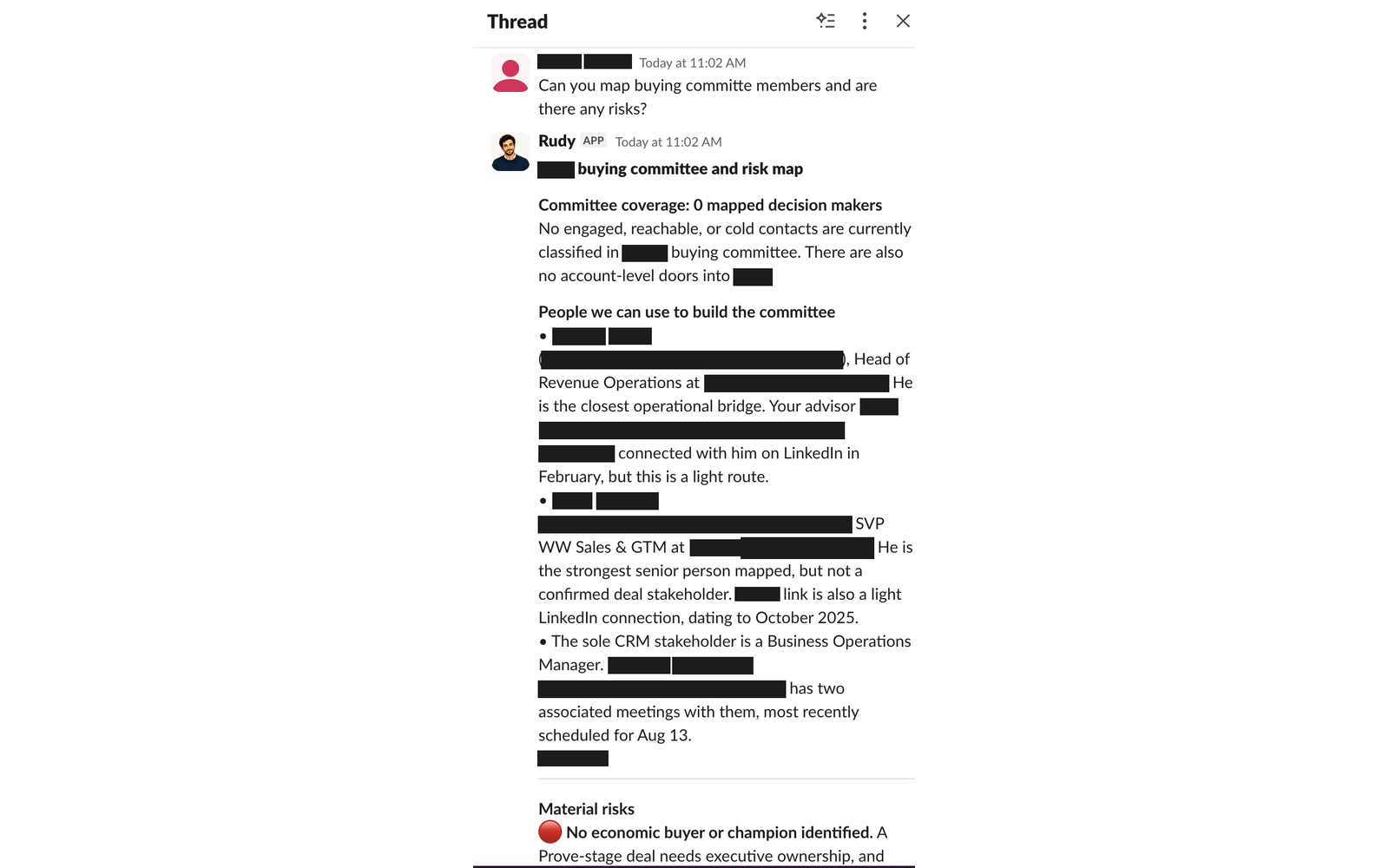
Rudy replying in a Slack thread with a buying committee and risk map, showing committee coverage, people who could build the committee, and material risks flagged
Committee coverage and risk. Who is mapped, who could be brought in, and the risks worth flagging, including when the honest answer is that nobody is mapped yet.

Customer and account names are redacted in these screenshots.

Installing Rudy

  1. Sign in to Boomerang at app.getboomerang.ai, or ask your Boomerang admin to.
  2. Go to Workspace then Integrations and click Connect on Slack. A Slack workspace admin must approve the install.
  3. In Slack, invite Rudy to a channel with /invite @Rudy, then mention it to start.

Don't have a Boomerang account yet? Request access

AI disclaimer

Rudy is powered by a large language model and can generate inaccurate or incomplete answers. Check anything important against the original Slack message, the CRM record, or the person involved before acting on it.